
Looking for a Shorter Overview?
AI Summary
Key Moments
Limitations of Enpass's Auto-Fill Feature
Enpass suffers from frequent auto-fill failures, slow processes, and poor browser integration impacting usability.Uniqkey’s Unique Security Advantages
Uniqkey offers GDPR-compliant data storage within Europe alongside zero-knowledge architecture and shadow IT monitoring.Variety of Alternatives for Different Needs
Options like KeePass provide open-source flexibility, while Dashlane supports SSO and phishing alerts targeting diverse business requirements.Choosing Password Managers Based on Business Priorities
The ideal alternative depends on features like offline storage, administration, single sign-on, or open-source preferences.Enpass is a password management solution designed specifically for businesses keen to keep their data away from third-party servers but not ready to bear the cost and maintenance burden of self-hosting. Enpass allows clients to store data in any business cloud storage facility (dropbox, Google Cloud, etc.) or offline on employee devices. The Enpass Cloud Connect feature ensures seamless synchronisation.
Despite the convenient and secure data storage facilities, Enpass lacks proficiency as a password manager in some core areas.
Table of contents
Disadvantages of using Enpass password manager for businesses
There is a major issue with Enpass’s auto-fill feature, which has been reported in multitudes of real user reviews. Some other issues have been reported in an online forum like Reddit and other review sites.
- The password manager often fails to recognise login fields
- The Chrome extension “hangs” or becomes unresponsive occasionally and requires reinstallation
- The auto-fill process is slow – it requires too much manual action
- The integration with Microsoft Edge and Google Chrome is not satisfactory
- The user interface leaves a lot to desire
Despite its success in securely storing passwords, Enpass has not proven to be the most intuitive password management solution. Businesses looking for a faster, more efficient password management experience must look for alternatives to Enpass. Here are some of the top Enpass alternatives.
Top Enpass Alternatives – Password Managers
There is no shortage of password managers that can serve as alternatives to Enpass. We have picked password and access management solutions based on security features, quality of encryption, usability, and user experience. All the entries feature AES 256-bit encryption and support two-factor authentication.

1. Uniqkey
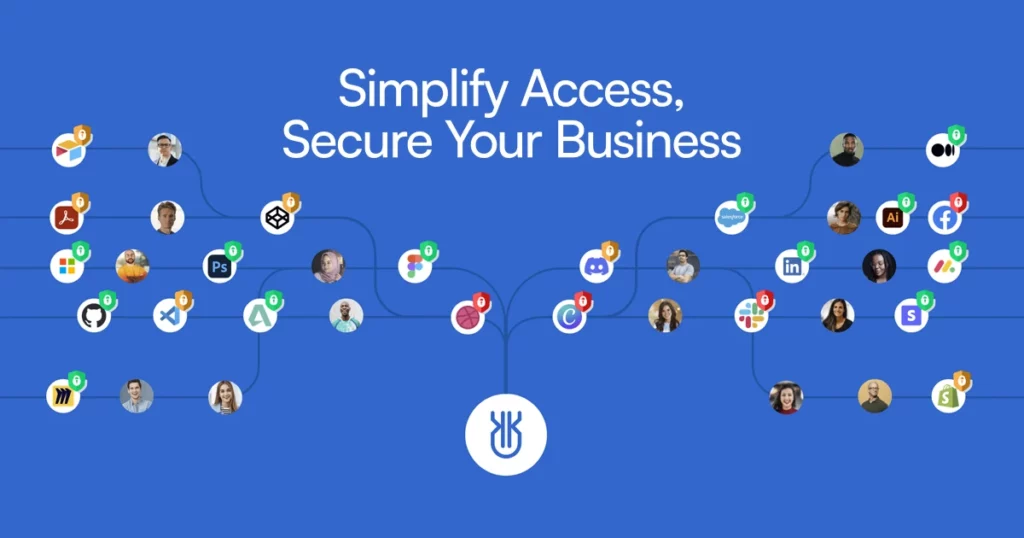
Uniqkey is one of the few enterprise-grade password managers that, like Enpass, offer offline storage options. Nevertheless, that’s not Uniqkey’s most impressive feature. The centralised access management dashboard, empowered with shadow IT monitoring, makes Uniqkey’s password and access management products special. Combining military-grade encryption, default two-factor authentication and zero-knowledge architecture makes Uniqkey one of the most secure password managers.
What is to like about Uniqkey?
- Unlike many other password managers, Uniqkey never stores customer data outside of the European continent, making GDPR compliance easier for clients.
- The zero-knowledge architecture ensures customer data is secure even during a server hack.
- Automated employee login reduces human involvement in the authentication process. The password manager pulls 2FA information automatically.
- Shadow IT monitoring allows security admins to identify and control unsanctioned software within the company network.
- The password generator can create strong passwords with up to 72 digits.
What is to dislike?
- There are no free variants of the tool
- The authentication process is dependent on a phone app by default
- It does not come with SSO integration
2. 1Password
1Password for business is a well-rounded password manager and a decent Enpass alternative. Even though it doesn’t match the level of choice in terms of data storage offered by Enpass or Uniqkey, 1Password is quite impressive when it comes to supplying credentials.
What is to like about 1Password?
- It’s a great facility for storing API keys, DB credentials, and other secrets apart from passwords.
- Integrates with a bunch of Single-Sign-On providers
- Impressive admin controls
What is to dislike about 1Password?
- The Windows app and browser extension are required simultaneously for the software to function.
- Setting up is time-consuming and requires training – not a plug-and-play tool.
- Fails to recognise login fields occasionally.
3. KeePas
KeePass is a free, open-source password manager offering complete transparency and customizability. It stores passwords using standard encryption. For the more savvy user, KeePass offers many customisation options using plugins. However, that’s a double-edged sword, as dependency on third-party plugins may not be the most security-friendly situation.
What’s to like about KeePass?
- KeePass allows local storage of customer data thus enhancing security
- Users can tailor KeePass to their needs using various plugins
- It’s an open-source tool and can be used for free
What’s to dislike about KeePass?
- Overly reliant on plugins – third-party plugins introduce security challenges
- The user interface is cluttered and suitable only for tech-savvy users
- Not the most efficient in terms of auto-filling passwords
4. Bitwarden
Bitwarden is a well-established name in the world of password management and for good reason. With streamlined multi-platform access, zero-knowledge architecture, and end-to-end encryption, Bitwarden is a solid Enpass alternative. It goes neck-and-neck with Enpass in many aspects, but Bitwarden takes it home regarding password-sharing and customer support.
What is to like about Bitwarden?
- The data-sharing feature is quite neat. Bitwarden uses end-to-end encryption to transmit passwords and files within the password vault, with deletion times or maximum access counts attached as additional parameters. Notably, Uniqkey has a similar feature.
- Centralised access control and reporting features make life easier for security admins.
- Instant device syncing and offline access to passwords are impressive features.
What is to dislike?
- Auto-creation of logins and passwords is a problem area – the passwords aren’t named intuitively, discouraging many users from using the capability.
- Documentation for the product leaves a lot to desire
- There is a keen learning curve, and no step-by-step support is available.
5. Dashlane
With its strong auto-fill function, easy SSO integration, and phishing alert features, Dashlane is a strong contender on any list of password managers. If you are looking for Enpass alternatives and competitors, Dashlane is worth checking out.
What’s to like about Dashlane?
- The phishing alert feature is useful, especially for large teams with freelancers and contractors.
- Easy SSO integration and password policy setup
- The user interface is well-designed and intuitive
What’s to dislike?
- Users have experienced occasional issues with the browser extension and plugins.
- It automatically auto-fills login fields for the previously used account, which can cause issues for people trying to log into an app with a different account.
- Passwords cannot be shared with groups or individuals as they are created, creating challenges.
The final choice: Which is the best alternative to Enpass password manager
Enpass is made special by its ability to store passwords in your business cloud. If you like Enpass, you’d want a password management tool that comes with at least an offline storage option. All the tools covered in this post are useful and have impacted enterprise-grade access management in 2025. In the end, it all comes down to specific business needs.
For instance, if you are looking for a password manager with strong administrative features, Uniqkey, with its shadow IT monitoring, is a fine choice. If you are looking for an open-source option, KeePass is your software. If you cannot function without an SSO integration, you can go to Dashlane.
🏆Most tools offer similar basic password security features. Still, Uniqkey takes it a notch up with zero-knowledge encryption and advanced features that no other password managers offer for the European market. Use the free trials and find your business’s best password management software.