
Looking for a Shorter Overview?
AI Summary
Key Moments
Benefits of Single Sign-On
SSO centralizes authentication, reduces password fatigue, and enhances compliance through detailed audit trails.Password Manager Advantages
Password managers securely store credentials, enable fast logins, and support regulatory compliance with detailed reporting.Choosing Solutions by Business Size
Small businesses benefit from password managers; mid-sized companies gain from combining SSO and password managers; enterprises need both.Uniqkey Password Manager Features
Uniqkey offers zero-knowledge encryption, universal compatibility, granular access controls, and GDPR-compliant European hosting.Managing access is crucial for business security. With credential theft causing 81% of breaches and the average company managing over 4,400 credentials, tools like Single Sign-On (SSO) and password managers are essential. Here’s a quick comparison to help you decide:
- SSO: Simplifies access with one login for multiple apps, reducing password fatigue and centralizing control. Best for apps supporting SAML/LDAP protocols but requires technical setup.
- Password Managers: Securely store and organize credentials for any app, with features like password generation and auto-fill. Easier to implement and works universally.
Quick Comparison:
| Aspect | SSO | Password Managers |
|---|---|---|
| Authentication | Centralized via one login | Secure vault with master password |
| App Coverage | Limited to SAML/LDAP apps | Works with all login forms |
| Setup | Requires integration | Quick and simple |
| Security | Centralized authentication | Encrypted credential storage |
Best Approach: Combine both tools for maximum security and efficiency. SSO handles supported apps, while password managers fill the gaps for broader coverage.

1. Single Sign-On (SSO) Explained
This section explains how SSO simplifies authentication by allowing users to access multiple applications with a single set of credentials.
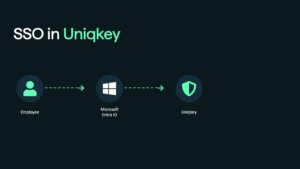
How SSO Works
When a user tries to access an application, they are redirected to a central SSO service. After logging in, the service generates a token that grants access to all connected applications. For instance, signing in to Gmail automatically provides access to YouTube and other Google services. This process not only streamlines user access but also strengthens security.
Security Benefits
SSO enhances security in several ways:
- Centralized authentication reduces the number of potential attack points.
- Minimized password fatigue lowers the risk of password reuse, which is common among 59% of users.
- Stronger access controls through unified security policies.
- Detailed audit trails for easier compliance with regulations.
Implementation Costs
The cost of implementing SSO depends on the provider and the features offered. Here’s a breakdown of pricing for some popular solutions:
| Provider | Basic SSO | Advanced Features | Additional Services |
|---|---|---|---|
| Okta | $2/user/month | $5/user/month (adaptive) | MFA: $3–$6/user/month |
| OneLogin | $2/user/month | $4/user/month | $8/user/month (unlimited) |
| RSA SecureID | $1/user/month | Up to $5/user/month | Includes advanced analytics |
“Single sign-on (SSO) is an important cloud security technology that reduces all user application logins to one login for greater security and convenience.” – Cloudflare
Compliance and Regulatory Benefits
SSO is an effective tool for meeting data protection regulations like GDPR. It provides:
- Documented IT controls for managing data access.
- Comprehensive activity logs to support audits.
- Granular access management for better oversight.
- Streamlined authentication to minimize unnecessary data collection.
Technical Considerations
When implementing SSO, you can choose between cloud-based solutions (fully vendor-hosted) or on-premises setups that require internal server management.
Important Note: Some SaaS vendors apply an “SSO tax”, charging an extra 15% to as much as 6,000% on base prices.
For maximum security, pair SSO with multi-factor authentication (MFA) and risk-based authentication. This combination can prevent over 80% of web attacks caused by stolen credentials.
2. Password Manager Functions
Password managers protect credentials with AES 256-bit encryption, zero-knowledge architecture, and controls based on IP, time, and location.
Core Security Features
These tools include a built-in generator to create strong, unique passwords, reducing common security risks. They also provide dark web monitoring, notifying organizations if their credentials are exposed.
Daily Usage Benefits
Password managers streamline workflows while maintaining security. For example:
| Benefit | Impact |
|---|---|
| Faster Logins | Reduces login time from 6–10 seconds to just 2 seconds per login |
| Lower Reset Costs | Saves $7.60 per employee annually on password resets |
| License Savings | Cuts 4% in costs for unused software licenses |
| 2FA Support | Automatically fills TOTP codes for two-factor authentication |
IT Management Features
IT teams benefit from centralized control, secure password sharing, and detailed monitoring of access activities.
Compliance Tools
Password managers simplify meeting regulatory standards by offering:
1. Audit-Ready Reporting
Detailed logs and reports help organizations meet compliance requirements for standards like PCI-DSS, ISO/IEC 27001, and NERC-CIP.
2. Access Control Documentation
Comprehensive records of user permissions, password updates, and access attempts support regulatory needs.
3. Security Event Monitoring
Real-time alerts for suspicious activities, failed logins, and administrative changes strengthen system security.
“Uniqkey surprised us in many ways. Mainly because it gives the overview and control we need to confidently protect our company. Also, we’re very impressed by their automatic 2FA feature which auto-fills OTP codes for our 2FA-protected logins. I haven’t seen any other solution offering that feature.” – Daniel Sönnichsen, IT consultant, Vejle Brand
Implementation Considerations
When deploying a password manager, consider factors like system integration, user training, backup options, mobile compatibility, and offline access. With 40% of professionals hesitant to use password managers due to usability concerns, it’s crucial to choose a solution that minimizes manual effort. Next, we’ll compare these features with SSO to help determine the best option for your business.
Direct Comparison: SSO vs Password Managers
Looking at Single Sign-On (SSO) and password managers side by side helps determine which option aligns better with your access management needs. Here’s a breakdown of how they measure up across key areas:
| Aspect | Single Sign-On (SSO) | Password Managers |
|---|---|---|
| Authentication Method | Centralized authentication through a single domain | Uses a secure, cloud-based vault protected by a master password |
| Protocol Support | Works with federation protocols like SAML and LDAP | Automates logins via form-based methods |
| Application Coverage | Limited to apps supporting SAML/LDAP protocols | Compatible with any login form |
| Security Architecture | Establishes trust-based connections between services | Stores credentials securely in an encrypted vault |
| Access Control | Centralized visibility and management | Facilitates secure sharing of credentials among users |
| User Experience | One-click access for supported apps | Automates logins for stored credentials |
| Implementation | Requires technical integration | Quick setup via browser extensions |
Integration Capabilities
SSO is ideal for apps that support federation protocols, offering seamless authentication. On the other hand, password managers provide universal coverage by securely storing credentials for any application.
Security Framework
Both tools strengthen security but take different approaches. SSO creates a single, centralized login domain, while password managers focus on encrypting and storing credentials, automating secure entries. These methods also impact user efficiency in unique ways.
Productivity Benefits
SSO reduces the need for repeated logins by enabling one-click access to compatible apps. Password managers simplify workflows by auto-filling credentials and handling complex passwords for all applications.
Administrative Control
SSO gives IT teams centralized oversight and simplifies user authorization processes. Meanwhile, password managers allow secure credential sharing, even for apps outside of SSO’s coverage.
Making the Right Choice
Choosing the right solution depends on your organization’s size, technical requirements, and budget. The best option will vary depending on these factors, as well as how complex your security needs are.
For Small Businesses and Startups
Password managers are a practical and affordable choice for smaller organizations. They require little integration effort and work across various applications. Their compatibility and quick security benefits make them an excellent first step. As your business grows and operations become more complex, you can explore additional tools to enhance your security setup.
For Mid-sized Organizations
For mid-sized companies, combining SSO (Single Sign-On) with password managers can offer major benefits:
- 80–90% time savings on user provisioning
- 50% fewer help desk tickets
- 482% ROI with integrated access management
This approach provides centralized control while ensuring broad application coverage, making it a solid choice for organizations navigating moderate complexity. Larger companies, however, often need even more advanced measures.
For Enterprise Organizations
Big enterprises typically require both SSO and password managers working together to tackle their unique challenges:
- Centralized Oversight
SSO allows IT teams to maintain strict control over corporate applications. - Closing Security Gaps
Password managers address vulnerabilities by:- Securing non-SAML/LDAP applications
- Protecting business-related personal accounts
- Enabling safe credential sharing
Starting with a password manager can provide quick security improvements. Over time, enterprises can integrate SSO as their security framework evolves.
We have a full ebook on SSO blind spots and how combining SSO and a password manager can overcome those blind spots and create the perfect security combo for any company. Access the ebook for free here.
Uniqkey: Europe’s Leading Business Password Solution
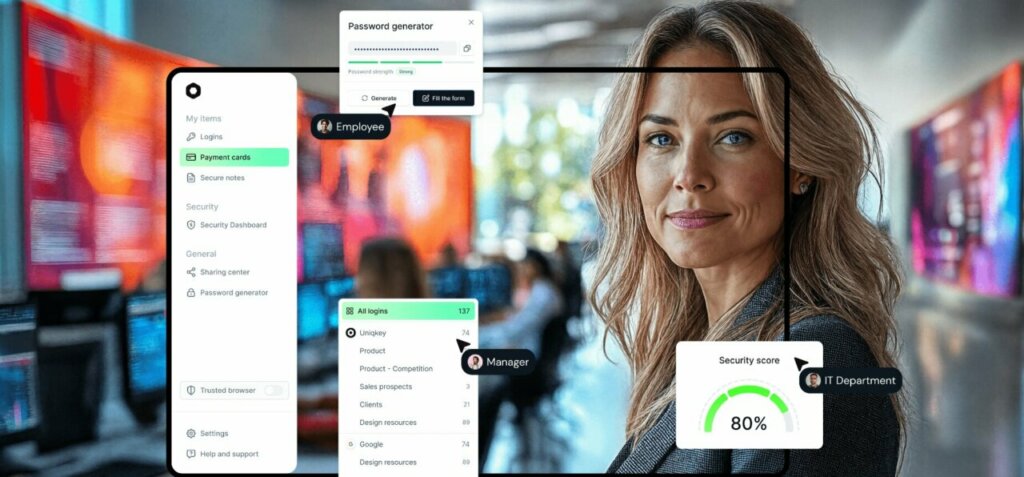
For organisations looking for a comprehensive password management solution that works brilliantly alongside SSO – or stands strong on its own, Uniqkey delivers enterprise-grade security that actually makes sense:
- Zero-knowledge architecture: Your credential vaults are fully encrypted, which means even we can’t peek at your passwords. It’s proper data privacy, guaranteed.
- Universal compatibility: Uniqkey seamlessly autofills credentials, TOTP codes, payment details, and forms across any application – covering all those gaps that SSO solutions typically miss.
- Role-based access controls: Granular permissions that let you control exactly who accesses what. It’s security management that’s both thorough and straightforward.
- Comprehensive audit logs: Complete visibility into all password activities, giving you the oversight you need for security and compliance – without the complexity.
- Seamless deployment: Roll out across your organisation with minimal fuss. No disruption to existing workflows, just better security from day one.
- European data handling: Built and hosted entirely within European infrastructure with full GDPR compliance. Your data stays where it should.
Making Your Decision
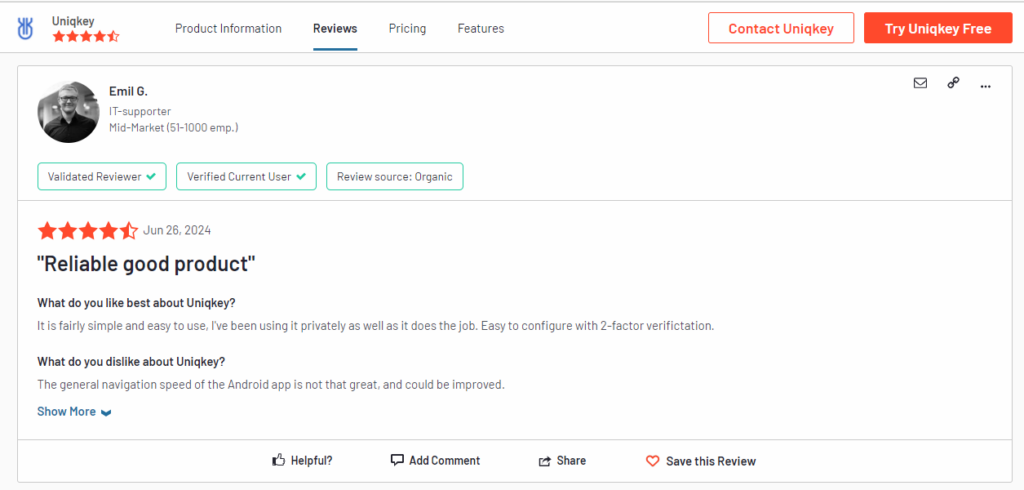
Whether you opt for SSO, a password manager, or both, the key is choosing a solution that fits your organisation’s needs today whilst giving you room to grow. Password managers like Uniqkey offer immediate security improvements and universal application support – making them the smart foundation for any access management strategy.